About Screenshotter
I needed App Store screenshots for one of my apps. Should be simple, right? Drop in a screenshot, add some text, export. Done.
Instead, every tool I found had a thousand features I didn't need. Subscription pricing. Team collaboration. Brand kits. Analytics dashboards. I just wanted to put my screenshot in a device frame with some text above it. That's it.
So I built Screenshotter in a weekend. It does exactly what I need and nothing more.
Features
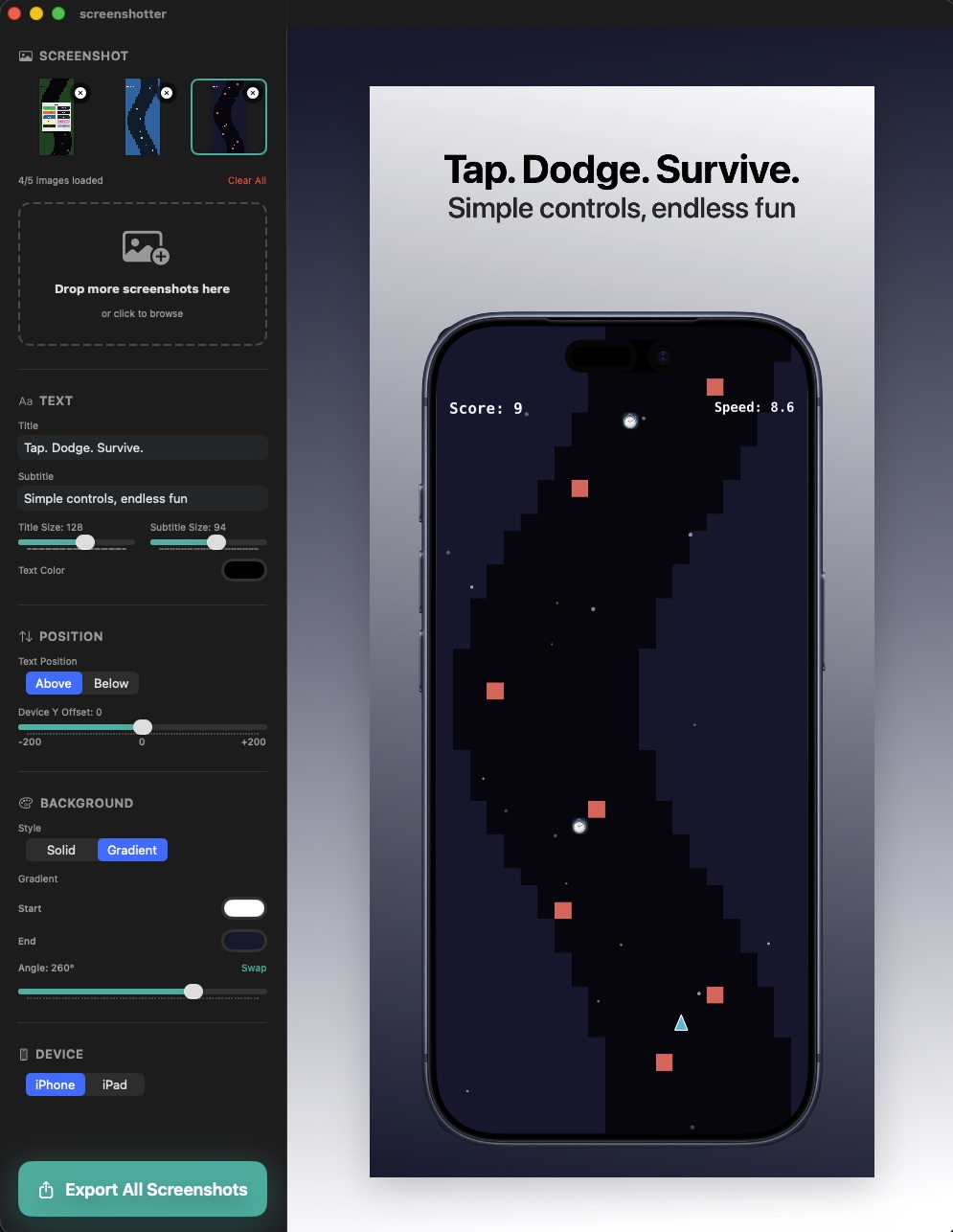
- Drag and drop - Drop screenshots from Finder or directly from iOS Simulator
- Device frames - iPhone and iPad mockups from Apple's official design resources
- Customizable text - Title and subtitle with adjustable sizes and colors
- Background options - Solid colors or gradients with angle control
- Per-screenshot settings - Each image can have its own text and styling
- Batch export - Export all App Store sizes at once
- JSON config - Save and load your settings for easy iteration
The Philosophy
App Store screenshot tools are weirdly overbuilt. They assume you're running a marketing team, A/B testing variants, managing dozens of apps. Most indie developers just need to export a few images once or twice a year.
Screenshotter embraces constraints. No account required. No cloud sync. No templates marketplace. You drop in images, tweak the settings until it looks good, and export. The whole workflow takes a few minutes.
How It Works
- Drop your screenshots into the app
- Customize the title, subtitle, and background for each one
- Click Export - you get properly sized PNGs for App Store Connect
That's the entire user manual.
Edit Later with JSON
One thing that always frustrated me with screenshot tools: you make your images, submit to the App Store, then six months later you need to update them for a new version. Now you're starting from scratch, trying to remember what font size you used.
Screenshotter exports your entire configuration as JSON. All your text, colors, gradient angles, positioning - everything. Save it alongside your screenshots, and when you need to update them later, just import the config and drop in new images. Your styling is exactly where you left it.
The Device Frames
Apple provides official device frames in their Design Resources. I grabbed the iPhone and iPad frames, added them to the asset catalog, and built the compositing logic to layer everything correctly - screenshot, device frame, text, background.
The trickiest part was getting the screenshot to clip properly inside the device frame's rounded corners. A few CGPath clips later, it worked.
Screenshots
Tech Stack
- SwiftUI - The entire UI, no UIKit
- AppKit - For NSImage compositing and file operations
- Core Graphics - For rendering the final exported images at exact pixel dimensions
Open Source
Screenshotter is open source on GitHub. If you need simple App Store screenshots, clone it and build it yourself. MIT licensed.